
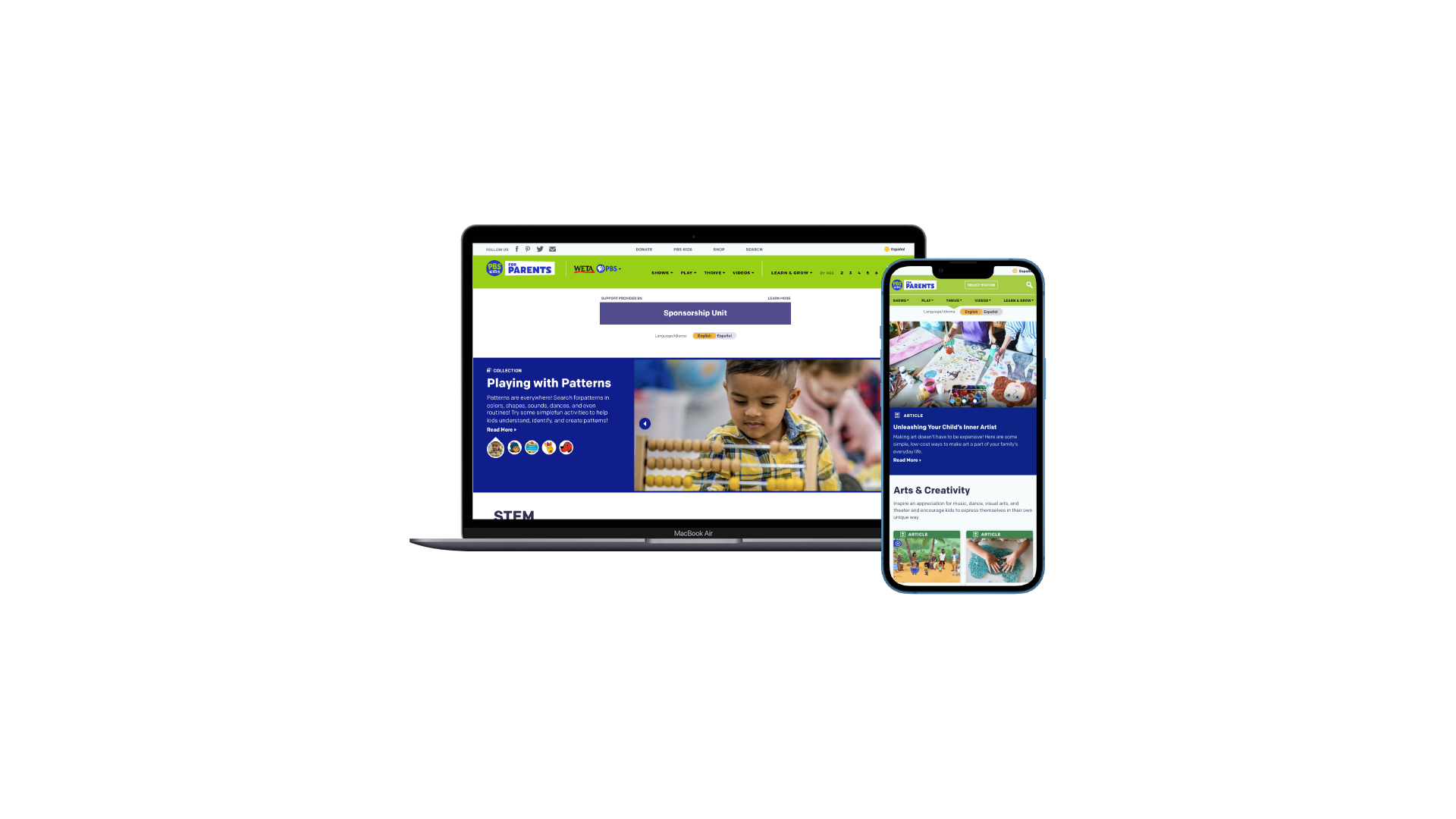
CONTENT VERTICAL REDESIGN (THRIVE)
OVERVIEW
Research from an external vendor found that parents couldn’t find collections but found them useful. They expected it to be on the Thrive page but it wasn't made to scale many content types outside of articles. Our research, testing, and redesign resulted in an 80% higher discoverability rate for 300K+ monthly users that we obtained through testing and analytics. (B2C, Website)
ROLE
Senior Interactive Designer, PBS KIDS for Parents, PBS
MEDIUM
Desktop | Mobile (Moderated Interviews, Unmoderated Usability Testing, Card Sorting, and Figma)
TIMELINE
2023-2025
THE TEAM
1 Sr. Interactive Designer, 1 Product Manager, 1 Content Director, 1 Sr. Content Manager, 1 Sr. Developer
LIVE SITE
https://www.pbs.org/parents/thrive
THE PROBLEM
During a user study with an outside research firm, we learned that parents find a lot of value in our collections: bundles of content that include activities, articles, and interactive elements. We unfortunately had no direct way for parents to find this content type in a way that matched our current site architecture.
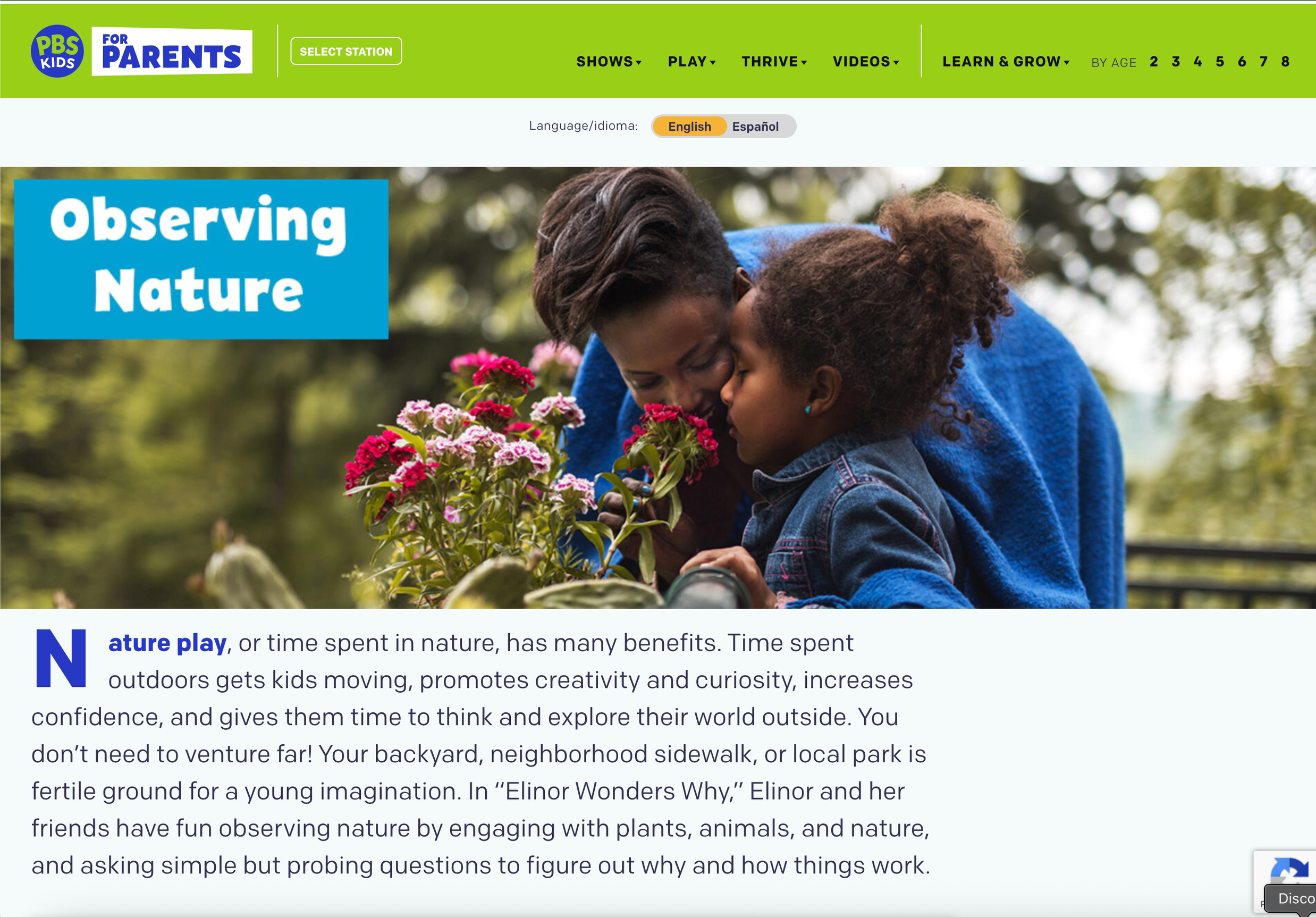
Top of collection pages
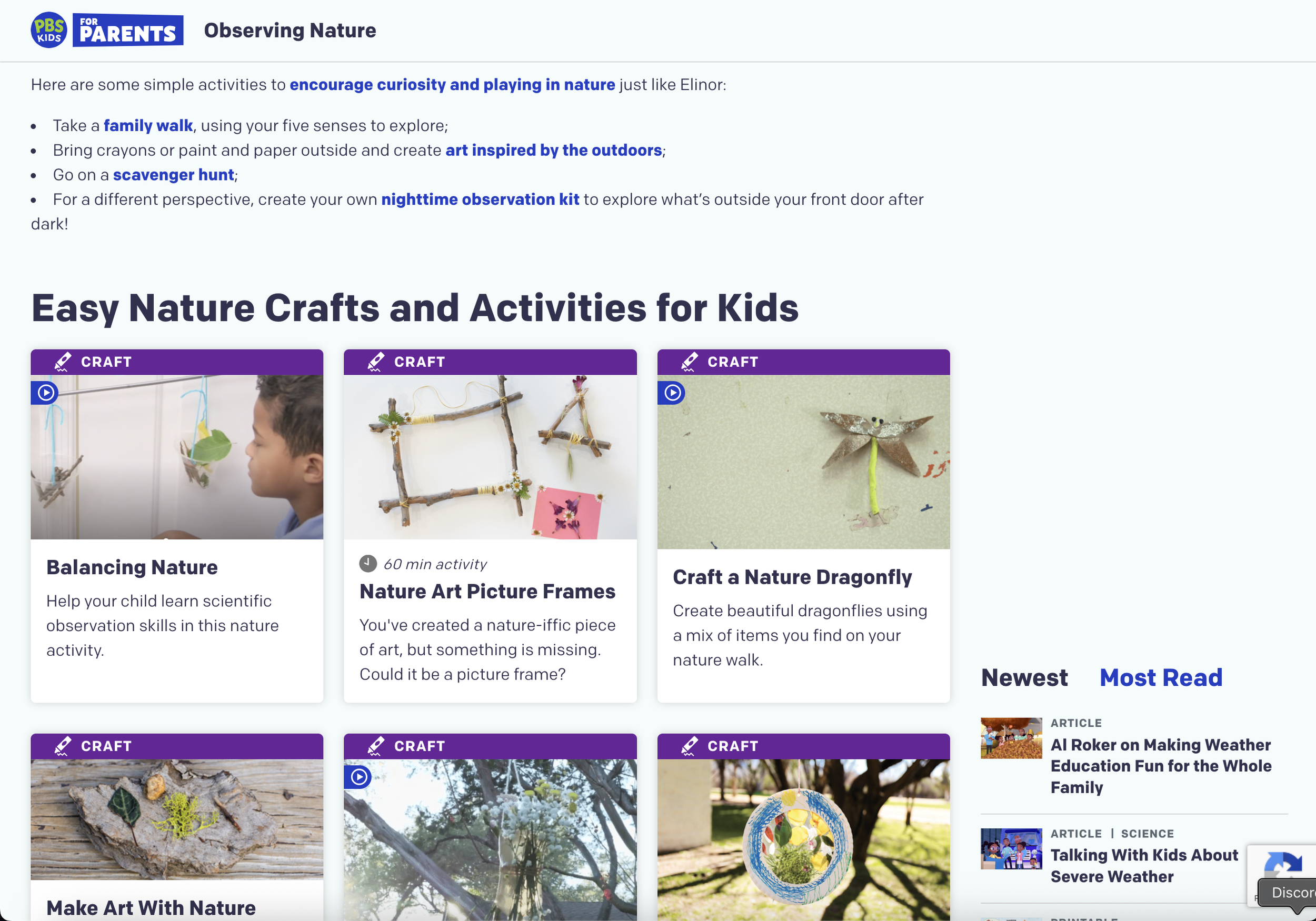
Collection page with content bundles such as Crafts
The research informed us that parents expected to find collections on the Thrive page, which currently housed our articles.
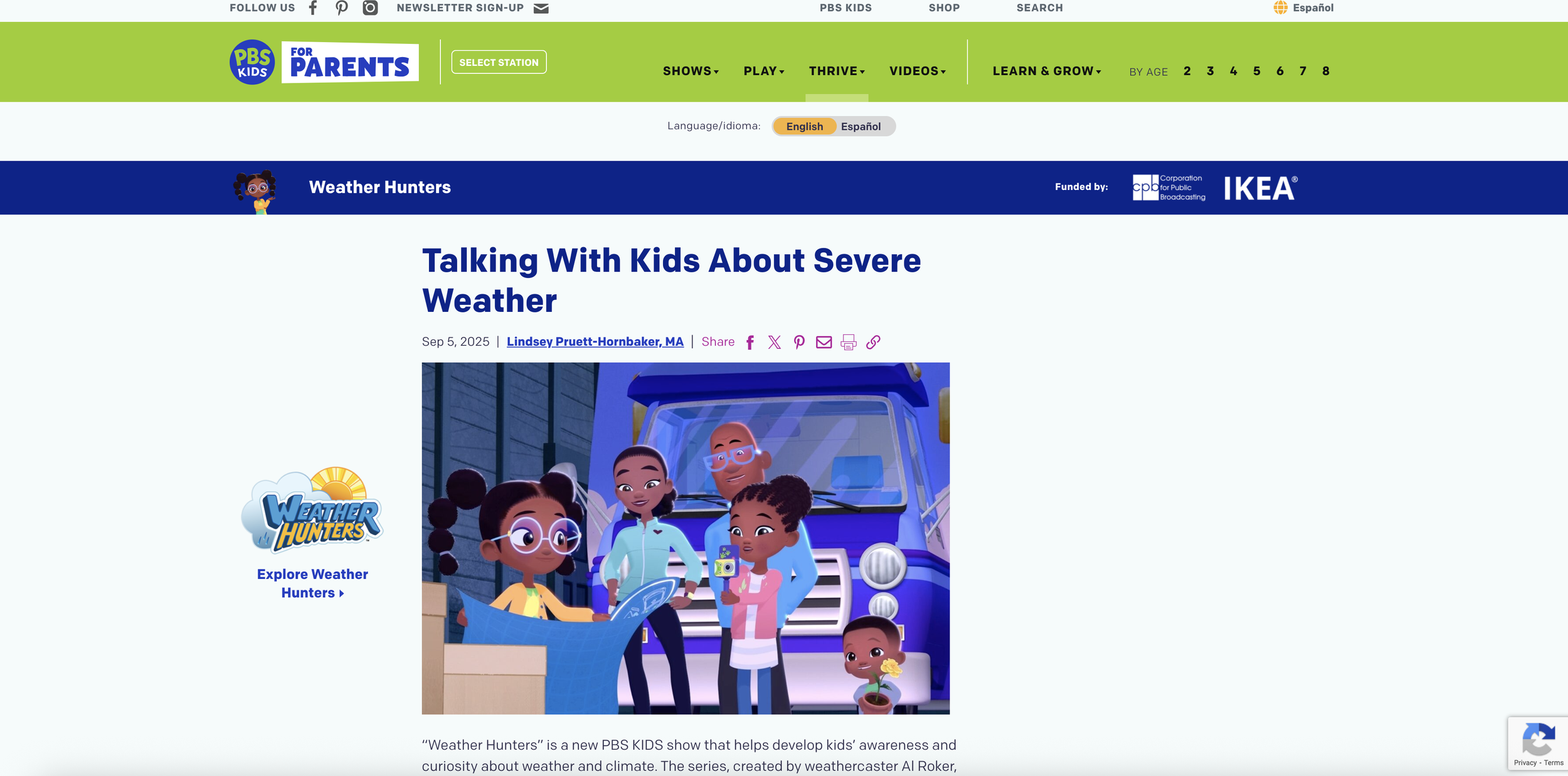
Thrive articles
THE CURRENT EXPERIENCE
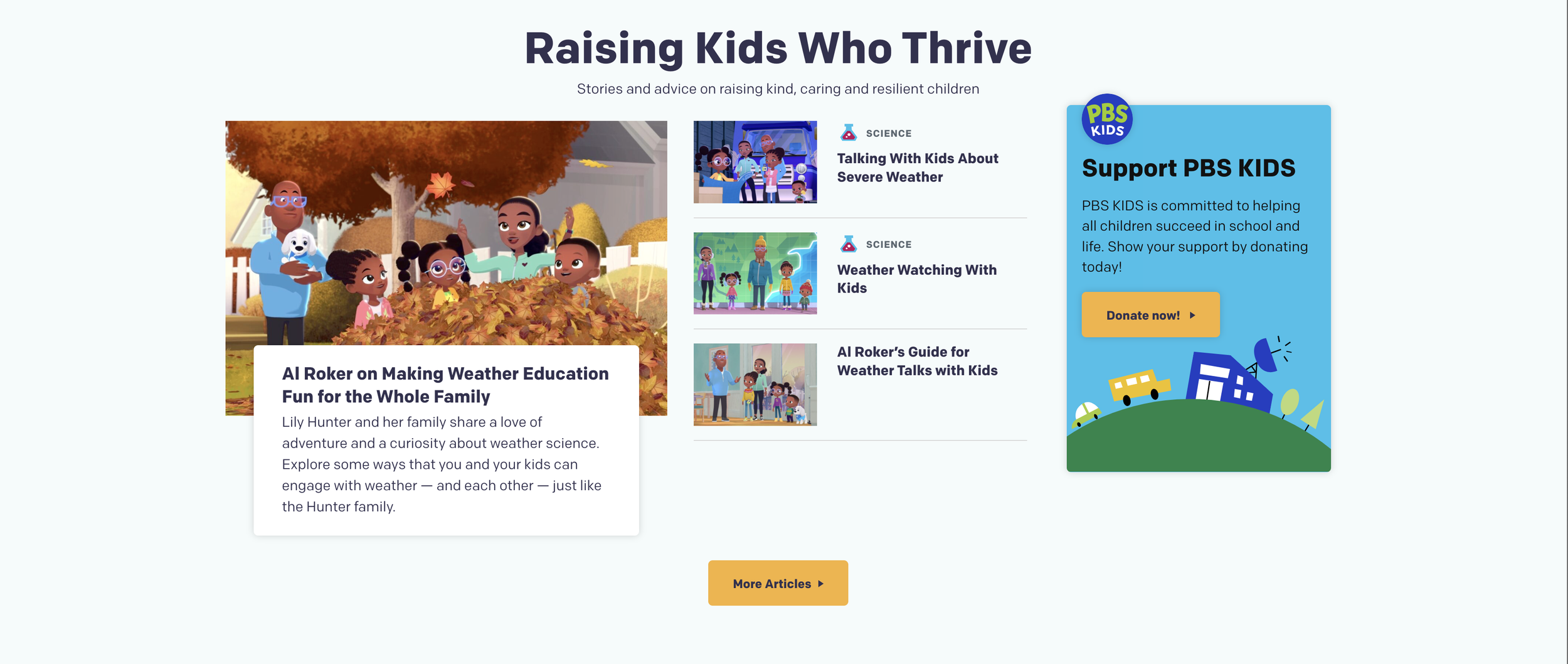
The current experience was aligned with user needs around editorial content but did not give much room for other types of content users found valuable.
COMPETITIVE SCAN
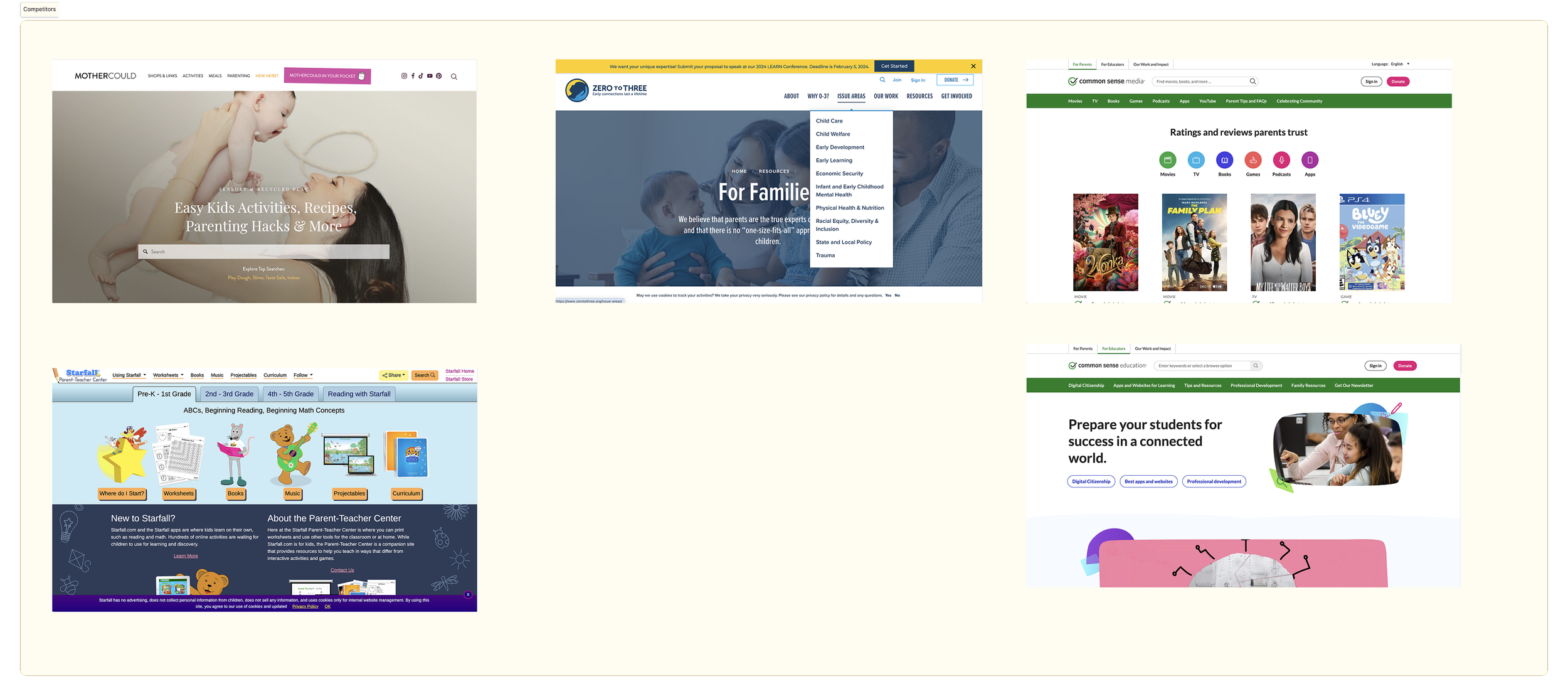
As we began ideating, we did a competitive scan of other caregiver sites.
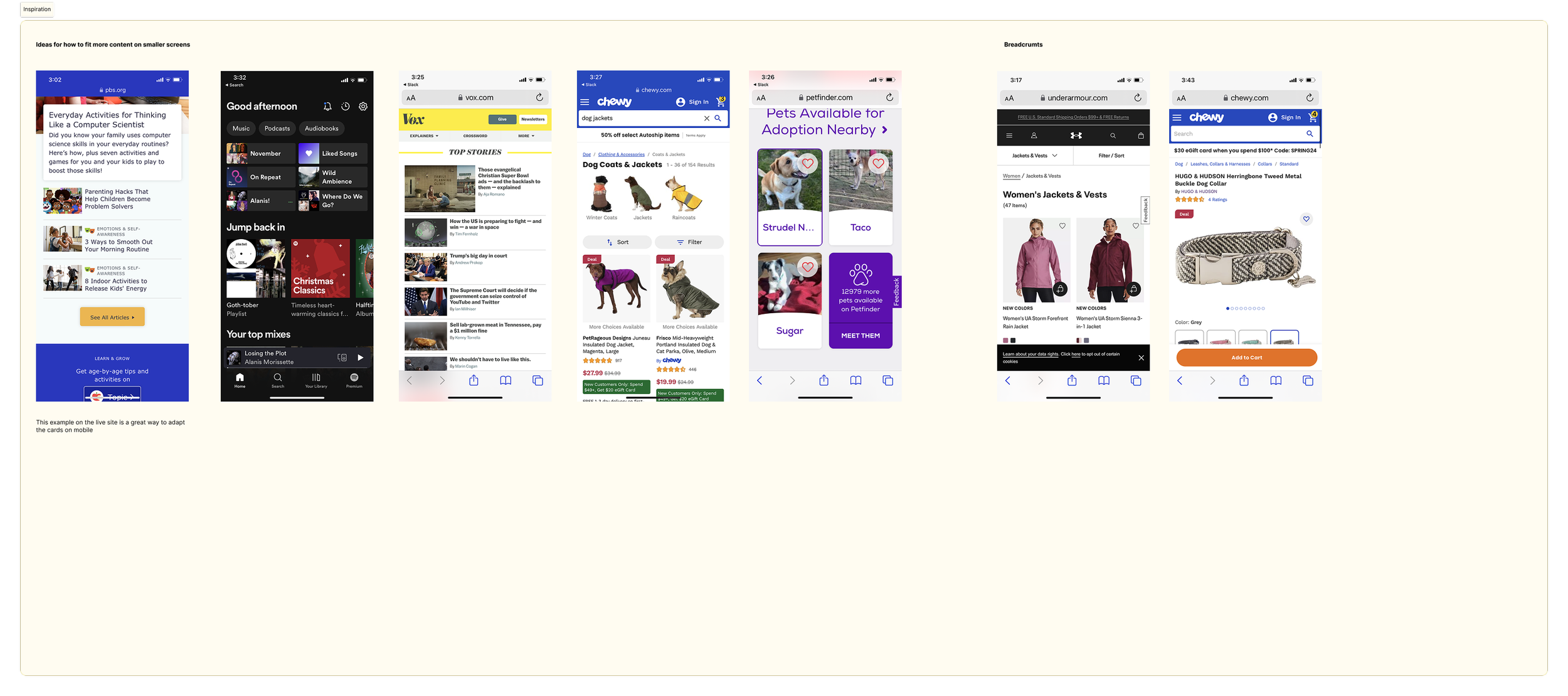
We also included some apps that weren’t necessarily in the caregiving space such as Vox, Chewy, Under Armour, and Spotify as examples of how to organize large amounts of content.
LEAN USER RESEARCH: MODERATED INTERVIEWS
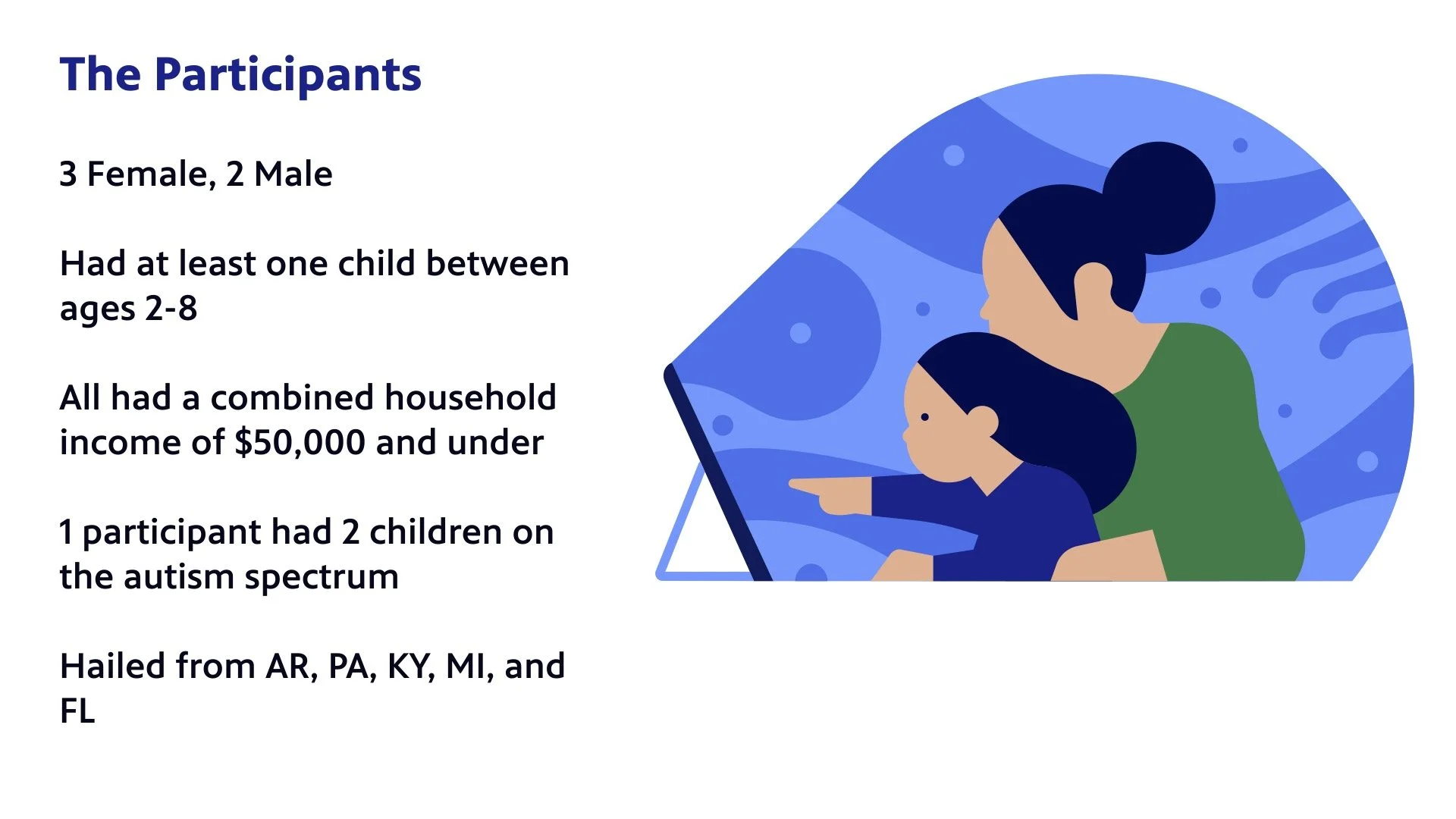
Using lean UX methodology, we recruited 5 participants to interview. To make our product as accessible as possible all participants were all low-income with one parent also having children on the autism spectrum.
RESEARCH: CARD SORTING
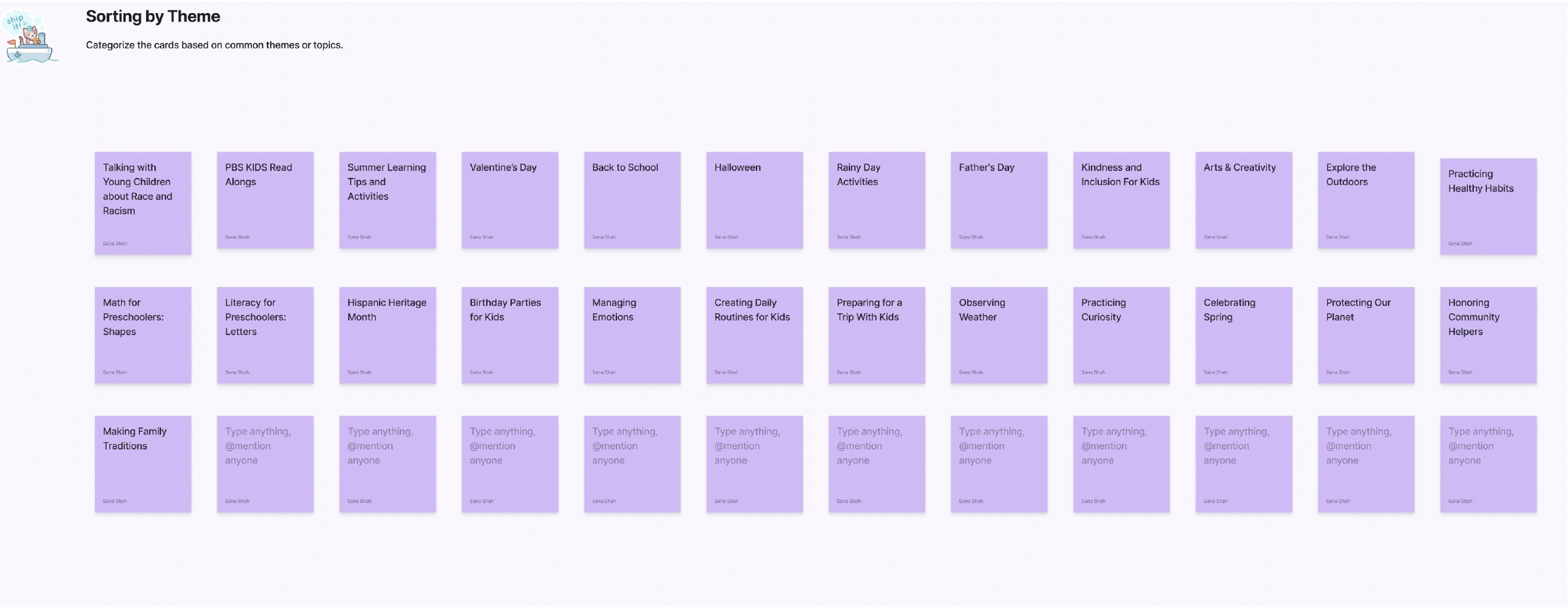
We had each user sort 25 collections into themes that made sense to them. We also included extra stickies in case they thought of their own collection names.
FINDING COMMONALITIES AMONG THE CARD SORTING
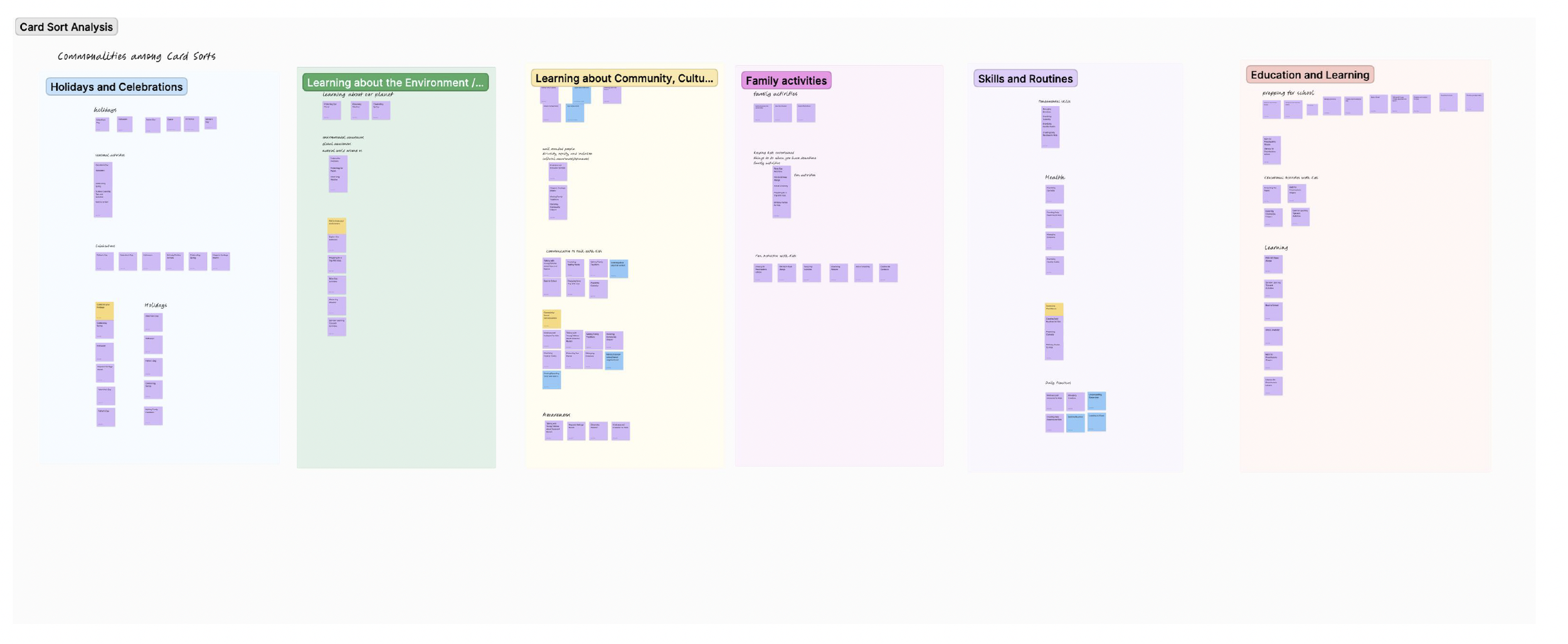
I began affinity mapping the card sorts into categories. The following categories surfaced the most:
Holidays and Celebrations
Learning about the Environment
Learning about Community, Culture, and Character
Family Activities
Skills and Routines
Education and Learning
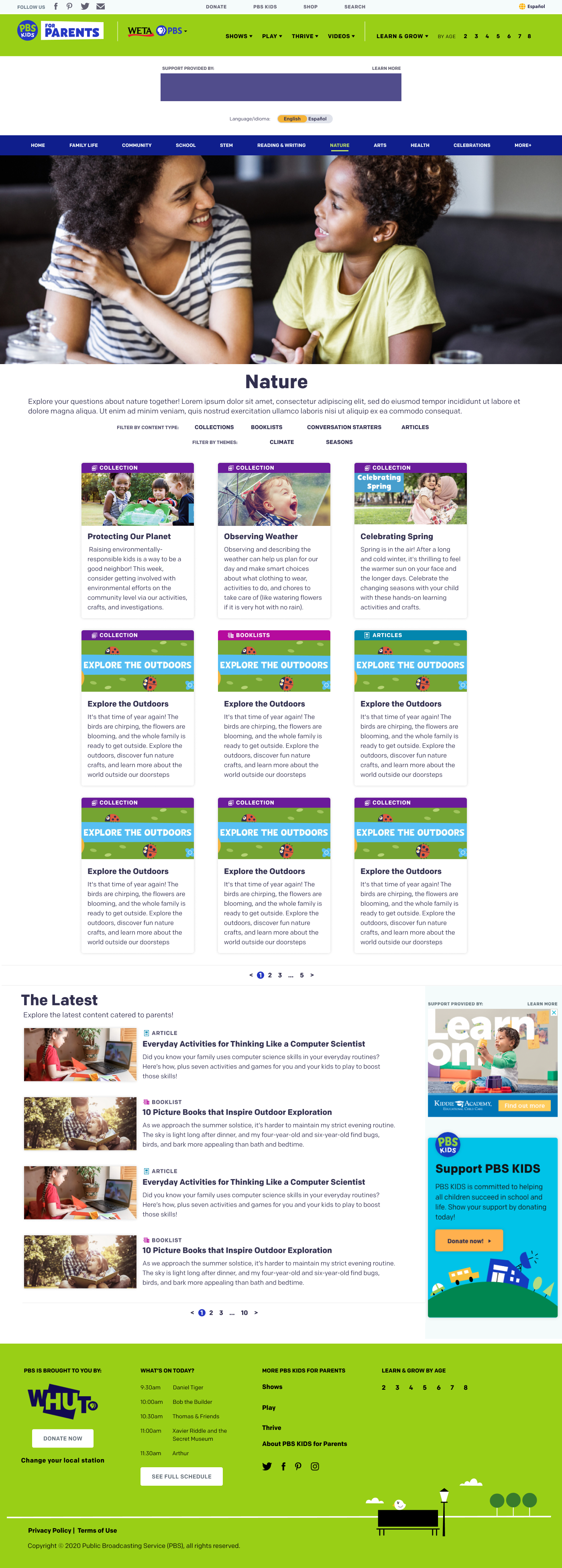
INITIAL DESIGNS
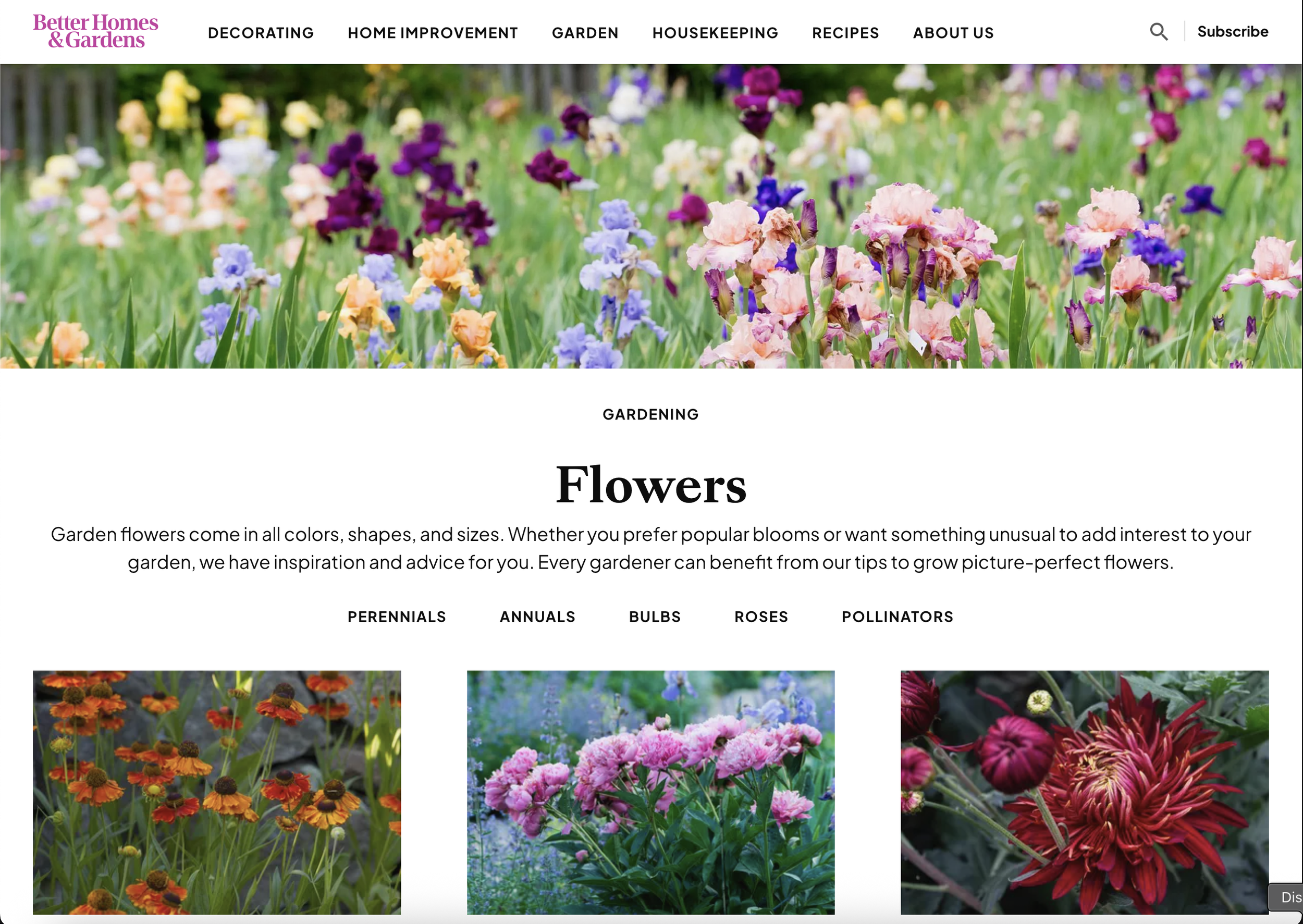
We began thinking about how to surface the different categories in a way that felt intuitive for users to understand. We took some inspiration from sites like Better Homes and Gardens as it was a site that came up frequently during our interviews with users.
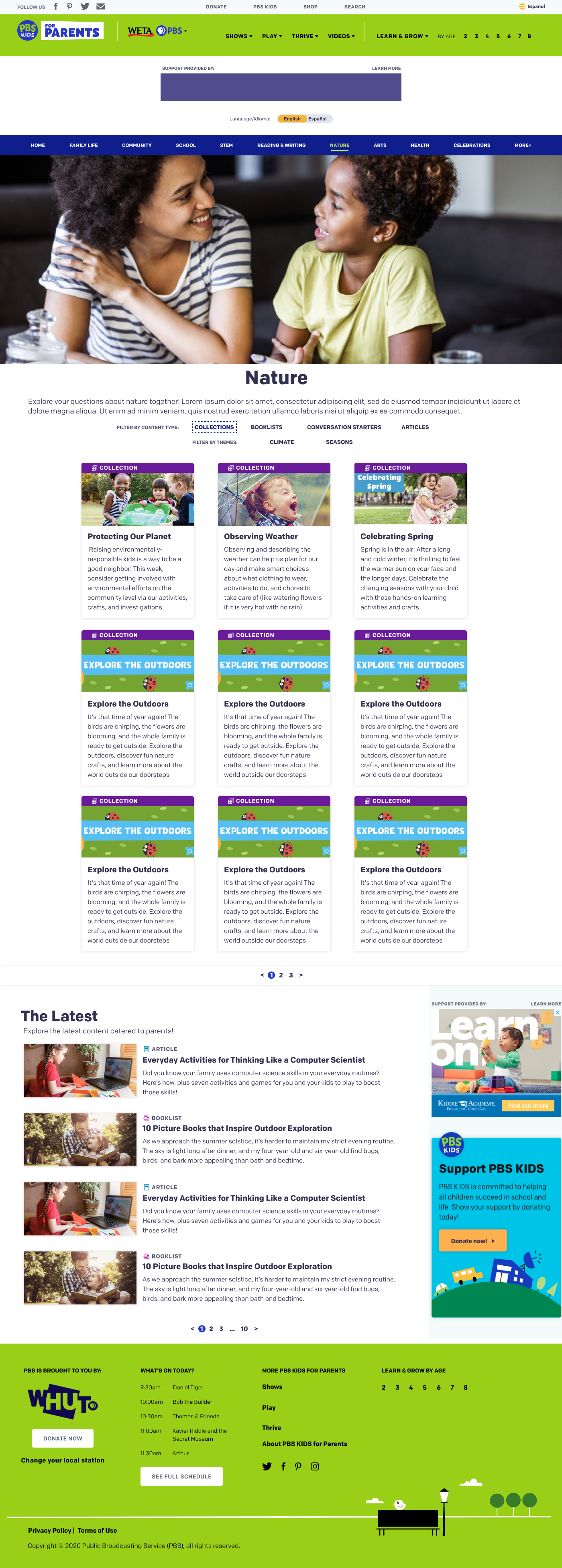
The issue became that it felt like it was too much content for a user to parse through while browsing.
REFINING DESIGN BASED ON FEEDBACK
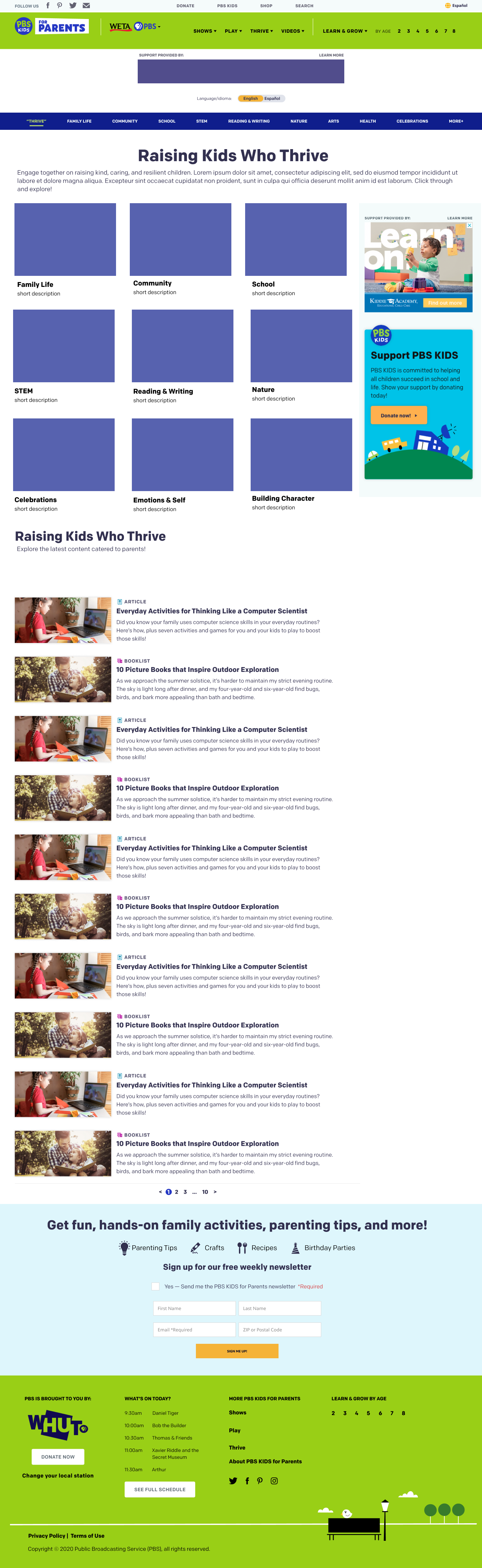
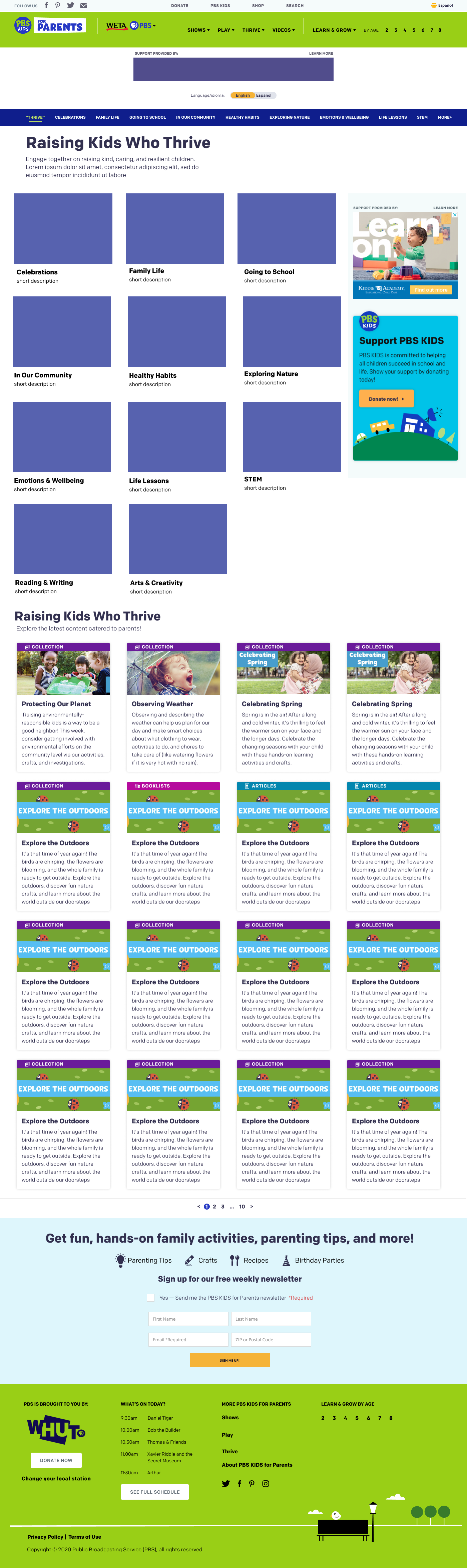
Once we had official category names from Content, we were able to work on a design for the Thrive landing page. We also came up with labels for content tagged as “articles”, “collections”, and “booklists” with room to scale and grow labels for future states.
An issue we still ran across was that including the articles underneath felt like a lot for the user to scroll through and felt overwhelming.
REFINING DESIGN LEVERAGING EXISTING COMPONENTS
Looking through our design system, we found a module we had previously used on the homepage called “play and learn with PBS KIDS.” It was meant to surface relevant content.
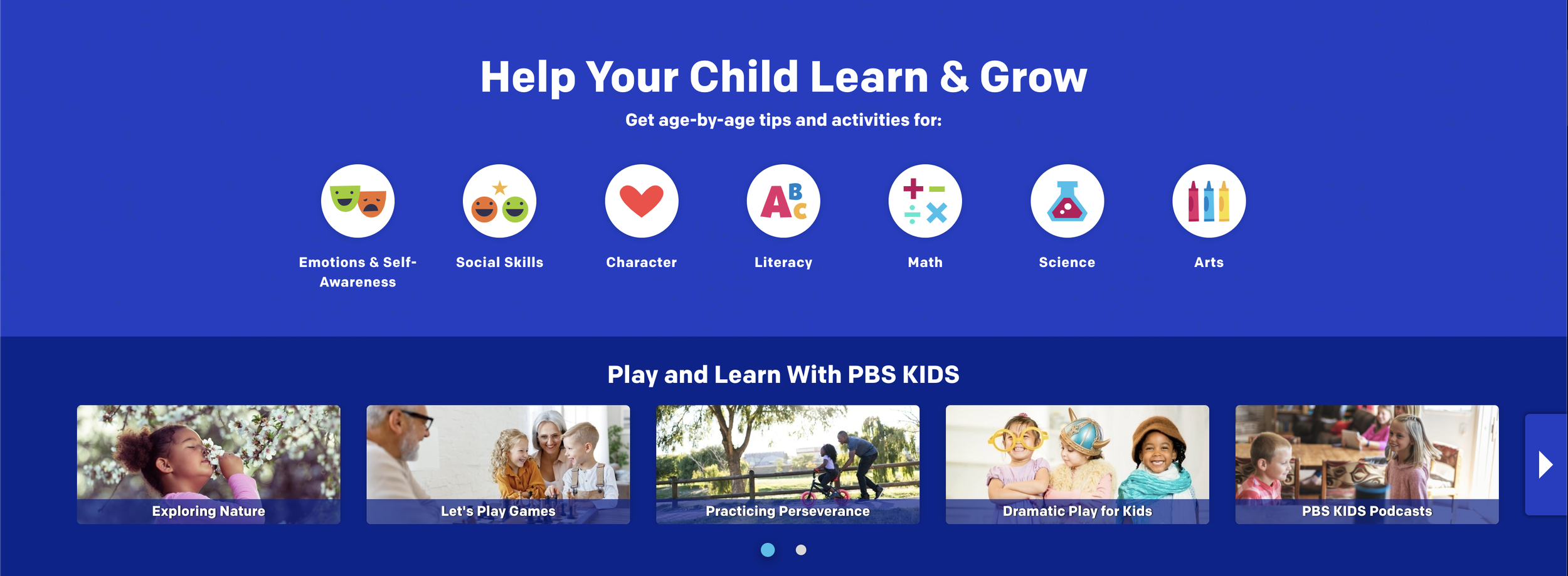
We decided to implement this below the category section with the title “The Latest” to match what had previously been on the Thrive landing page.
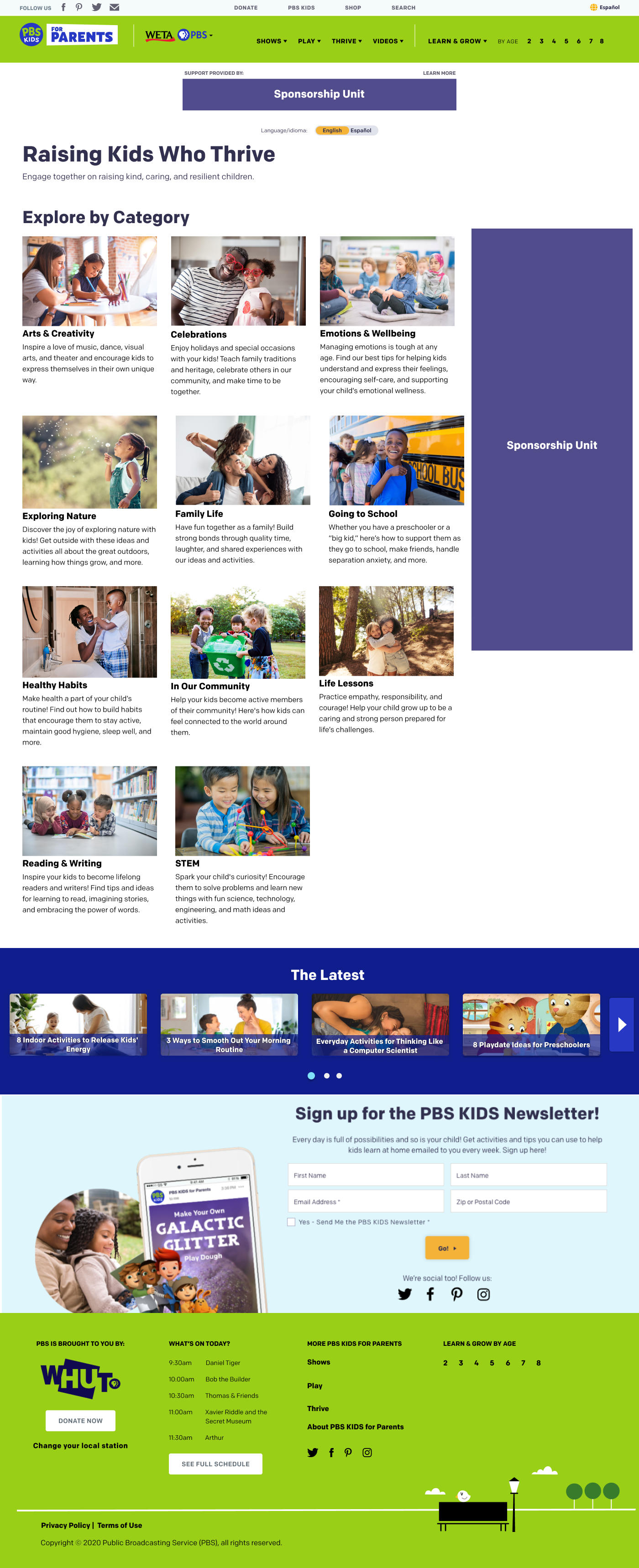
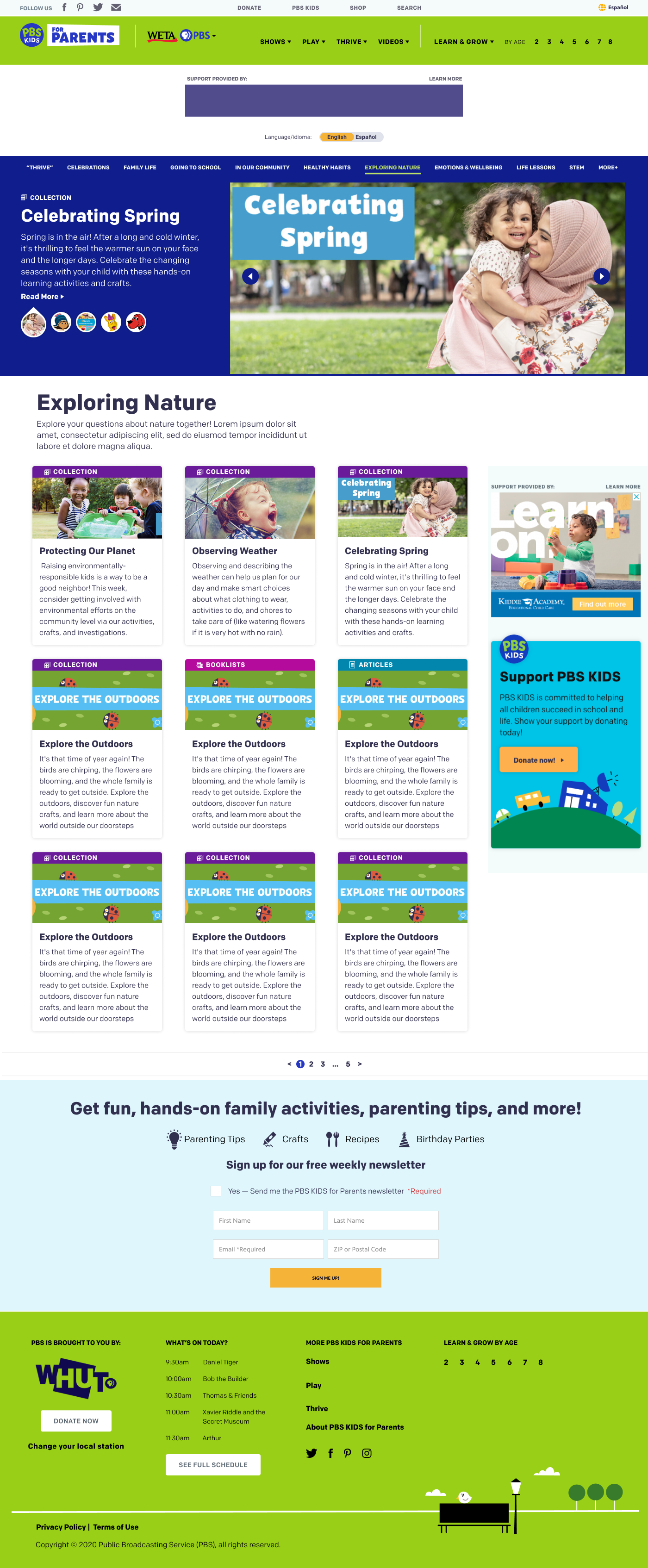
Final Production Screens
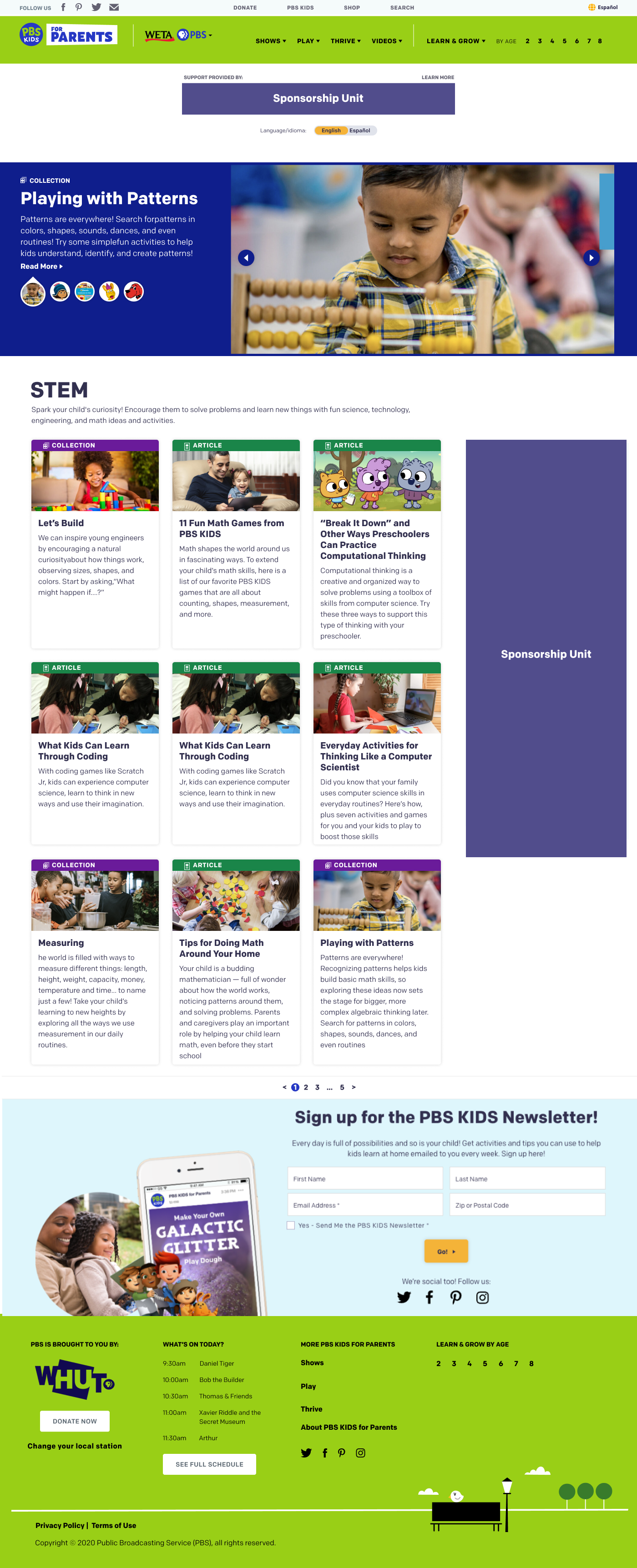
Below are the final production screens for Desktop. The screens include the Thrive landing page, the Thrive dropdown with a Featured collection or post, and a category landing page (STEM).
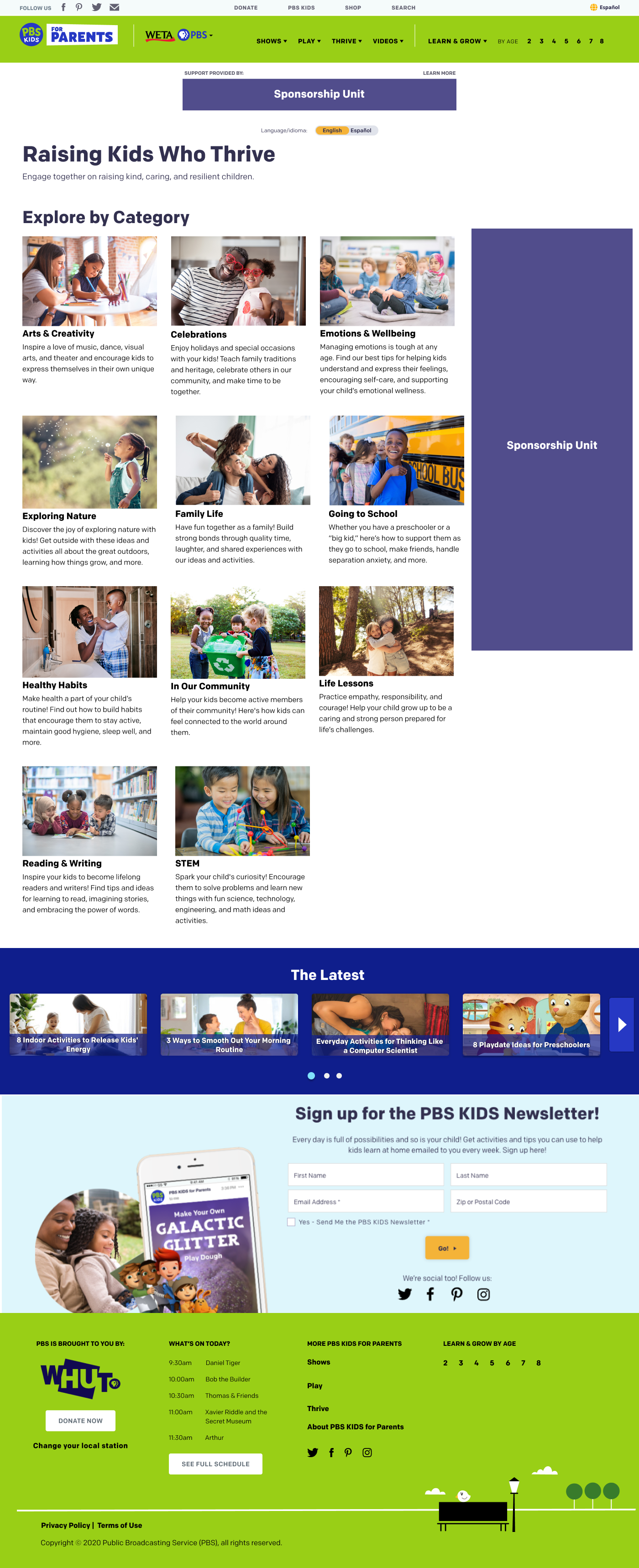
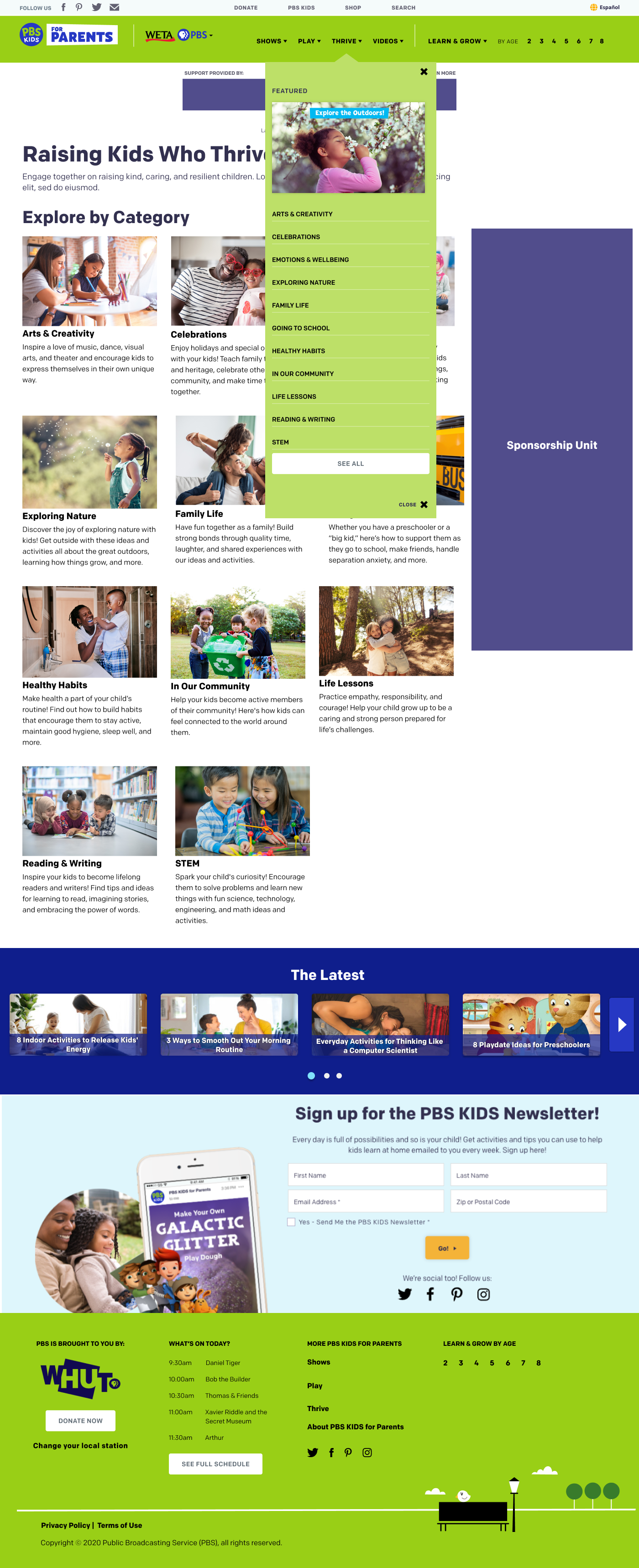
We also removed the sub navigation menu as it felt like too much cognitive load for a user to carry while browsing.
MOBILE EXPERIENCE
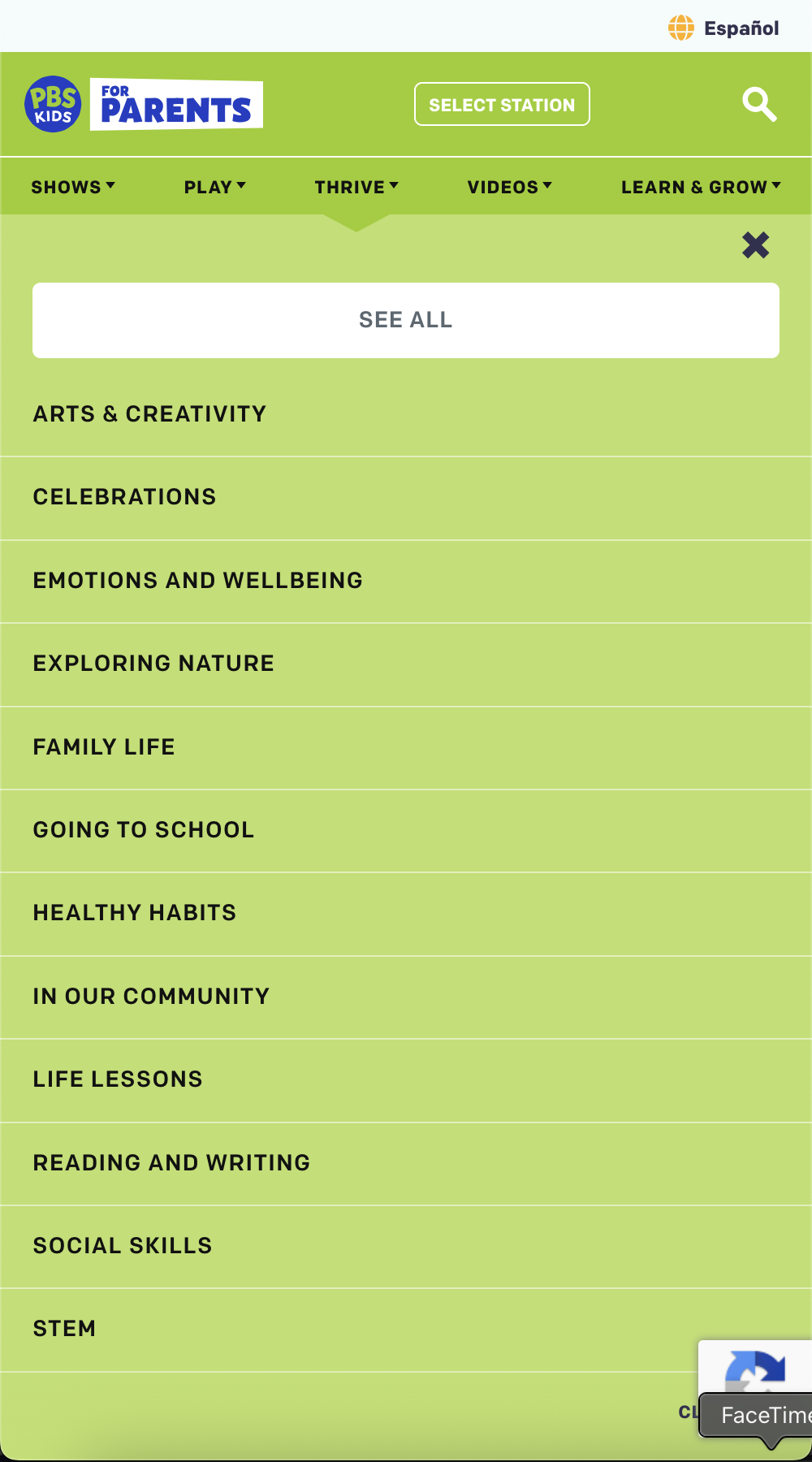
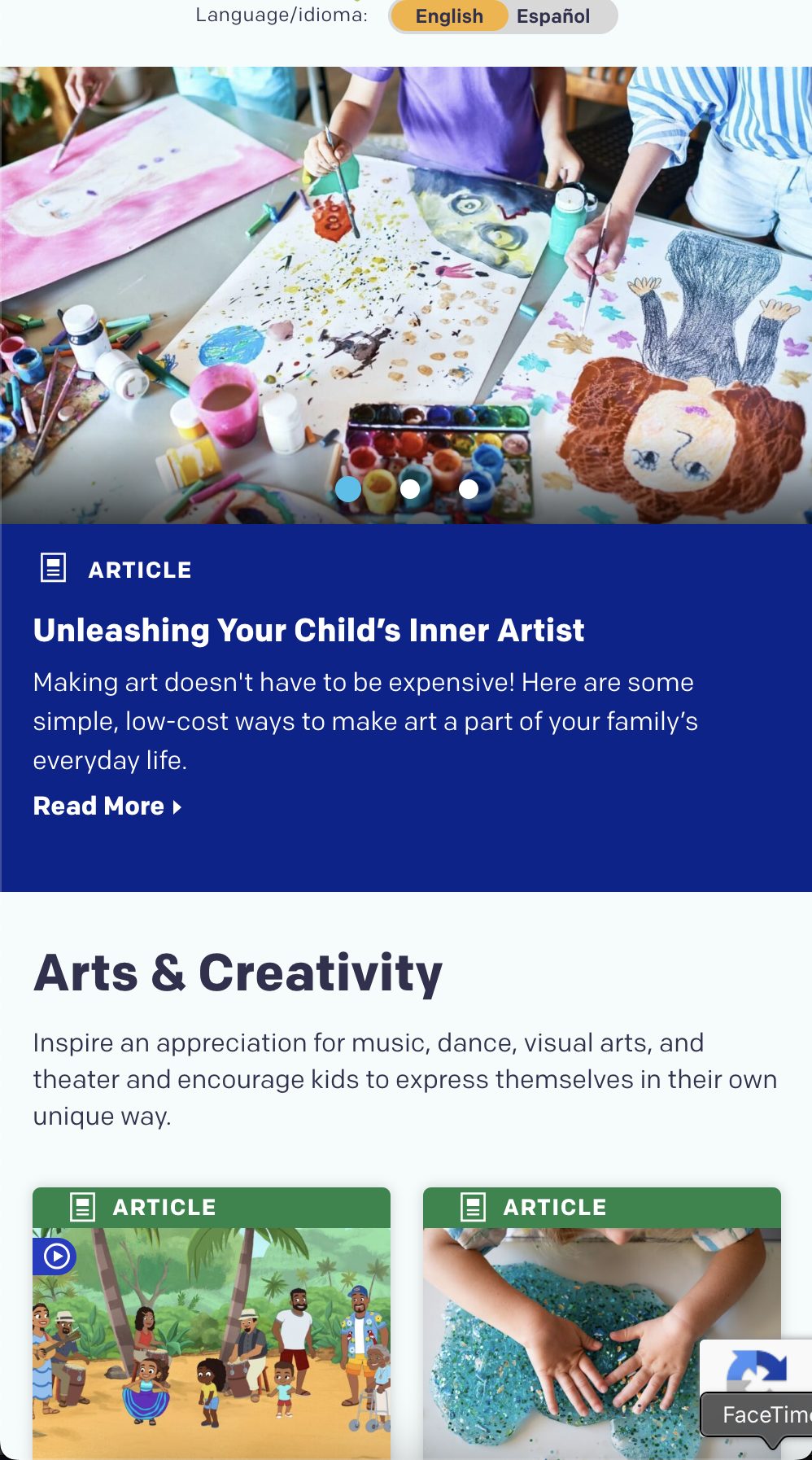
Since we found that over 40% of our users use mobile for browsing, we made sure our new Thrive experience would be optimized for mobile as well.
USABILITY TESTING
We gathered up our users to test the refined designs. Below are the main takeaways from usability testing:
All participants had a positive reaction to the PBS Branding as well as the use of PBS KIDS shows and characters being part of the content
All participants had a positive reaction to the Category landing page with 80% saying they were more likely to find collection content with the new design
Participants felt the categories on the landing page were more intentional and eye catching with most common words being engaging and organized
FUTURE STATE BASED ON FEEDBACK
In addition to feedback on the existing design, we also captured some future state improvements including:
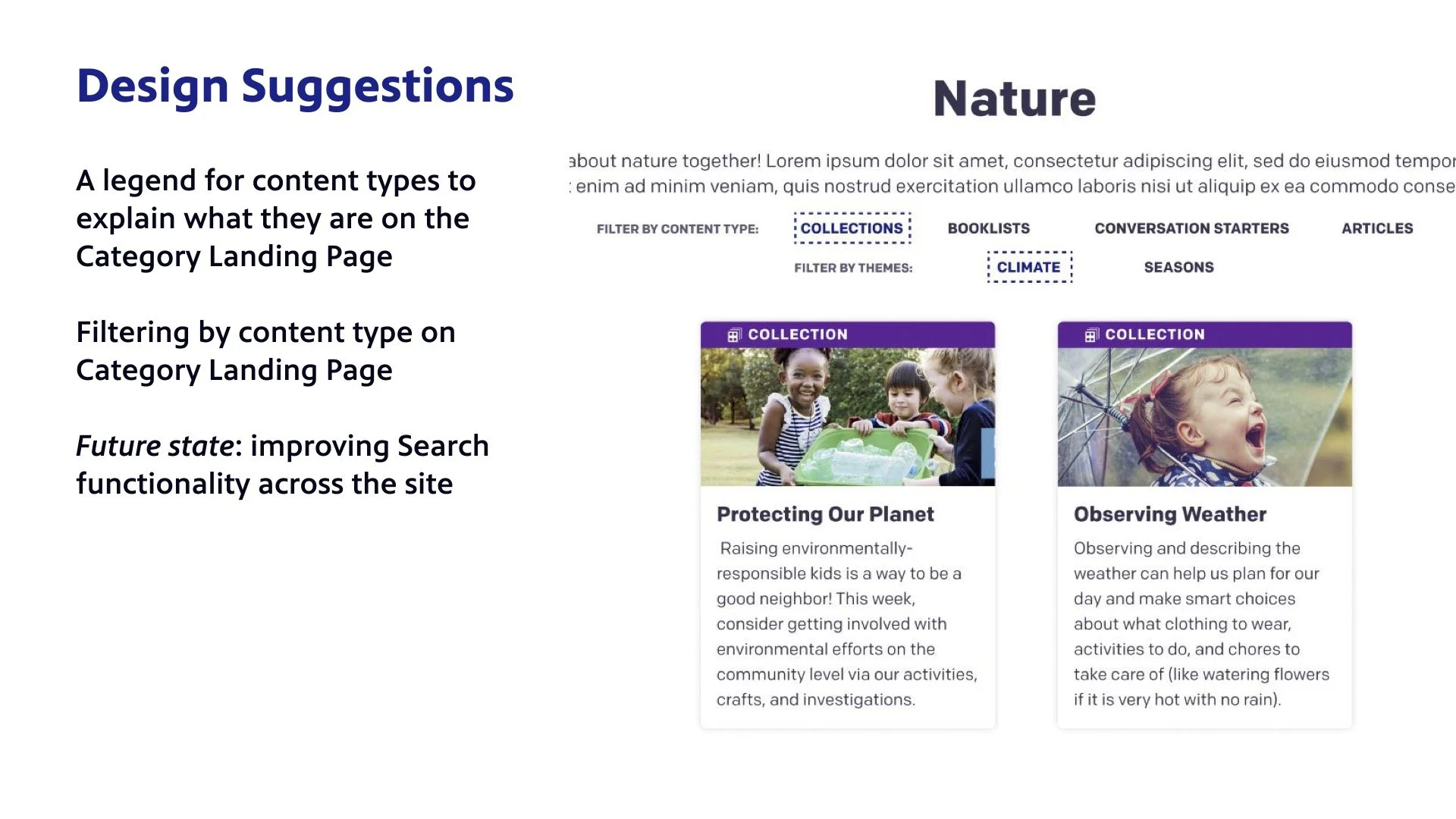
Improve search functionality
Filtering by content type (interestingly we had this in one of our earlier designs)
A legend
REFLECTION + TAKEAWAYS
Invest in research. We invested a lot of time into moderated interviews, unmoderated usability testing, and card sorting for this project. It informed many of our decisions and became an example of a successful framework I would use going forward, resulting in a 25% increase in research-driven projects for the design team.
Reuse what you have thoughtfully. When we were having trouble figuring out how to move forward with having article content underneath the categories on the homepage, we were able to parse through our design system and find something we were already using in a way that felt intentional and that users enjoyed.
THE IMPACT
Saved Time - Producers are now spending less time looking for next steps and can now directly take action. Collection content was also surfaced at an 80% higher rate than before.
Less Confusion - Rather than just feeling like an editorial style page for articles, Thrive was now a catch all for different types of content to help parents thrive.
Scalable Framework - With Thrive being designed to be more available to different types of content, there are now more opportunities to experiment with what else might exist beyond collections and articles.